Online Identity Verification
CommSec is required by the Anti-Money Laundering and Counter-Terrorism Financing Act 2006 to collect information about you and verify your identity before CommSec can provide you with the services or products for which you’ve applied. For more information, please refer to our Trading Terms and Conditions.
You would have been directed to this page by a member of our CommSec staff only if your identity was not verified through our standard process over the phone.
To commence your online identity verification, please follow 3 simple steps below:
Step 1: Upload any 2 of the following documents to an email
- Current valid Australian Drivers’ Licence - requiring both front and back side of the licence.
- Current valid Australian Passport
- Current valid Australian Medicare card
Step 2: Upload a self-captured photo ('selfie') with photo ID to the email
- Upload a selfie of yourself holding either your current valid Australian Drivers’ Licence or Australian Passport next to your face. This must be one of the two documents you have selected to send in as part of in Step 1.
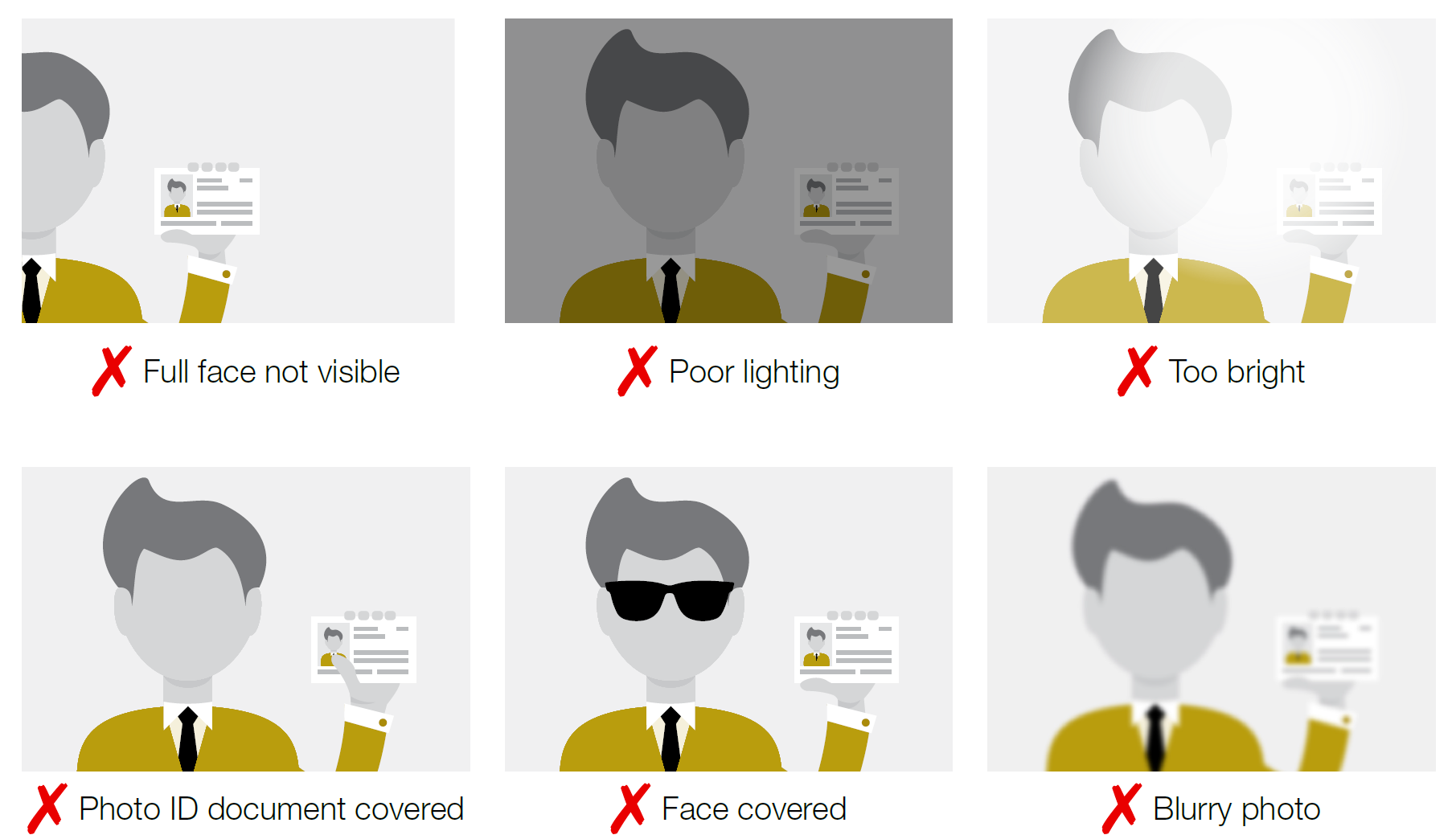
- Ensure this is a headshot and the photo identification document is clear and legible. To help us confirm the identity you are claiming, please refer to the visual guidelines below for examples of photos that are and are not acceptable.
Step 3: Send the email to id@commsec.com.au
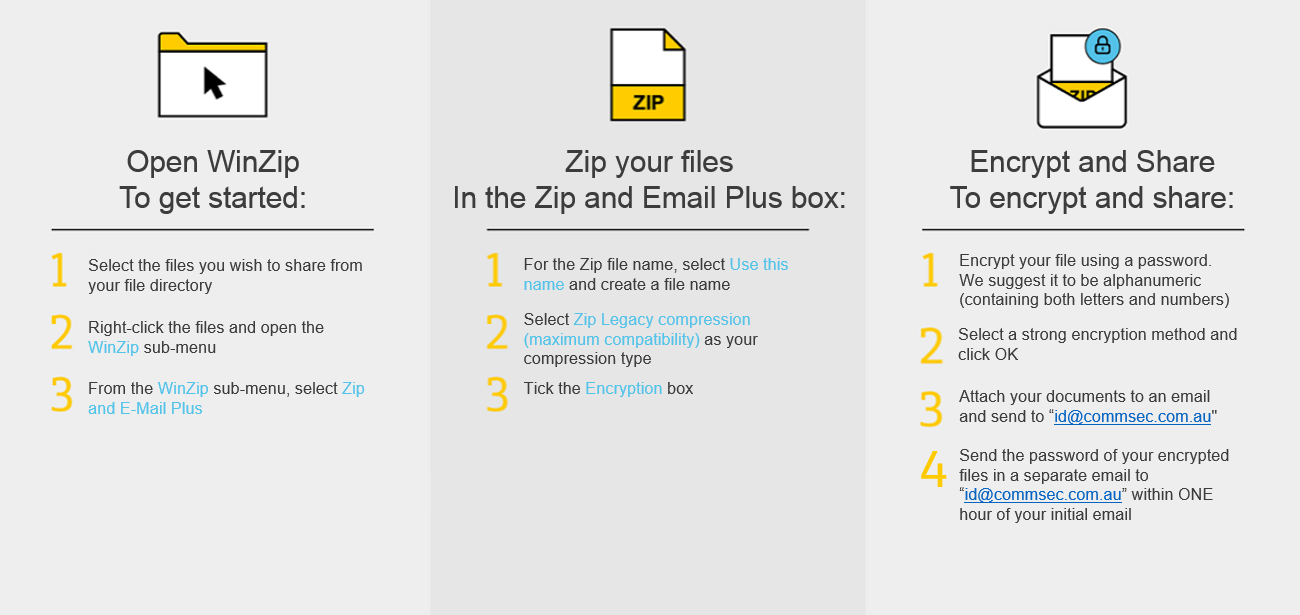
- In order to protect your personal information, we strongly recommend that you encrypt the email you send us AND subsequently delete the email from your Sent Items and Deleted folders. For a simple guide on how to encrypt your email, please refer to the infographic below.
- Please encrypt any files you send to us for security purposes. We suggest the password to be alphanumeric (containing both letters and numbers) and send to it us in a separate email within one hour of your initial email containing your identification documents. CommSec will delete your request automatically if we receive your password outside of this timeframe.
- Send your email following Steps 1 and 2 above to id@commsec.com.au with subject “Online ID - <First Name> <Last Name>”. For example “Online ID – John Smith”.
Your email will be actioned by a member of our CommSec staff within 1 to 2 business days.. If CommSec can validate your identity documents, we will then contact you with further instructions to follow. If we are unable to validate your identity documents, we will notify you and you will be required to attend your Commonwealth Bank branch for us to service you.
Proof of identity
Requirements for Online Identity Verification to help us confirm your identity.
Acceptable photo

Unacceptable photos
How to encrypt using WinZip
In order to protect your personal information, we strongly recommend that you encrypt the email you send us and subsequently delete the email from your Sent and Deleted Items folder.