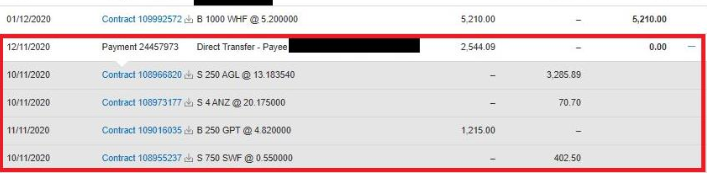

Help & FAQs
Get help with your CommSec account, trading, products and market information with frequently asked questions (FAQs) and support articles.

Settlement - How to pay or receive funds for a trade
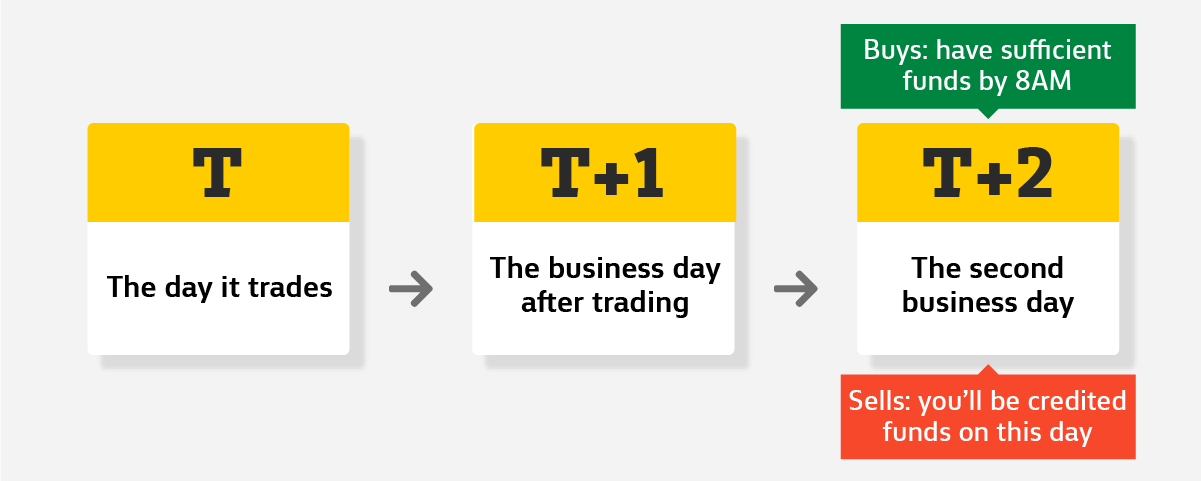
When you buy or sell shares, a process called T+2 settlement takes place where ownership of the shares is exchanged for money between the buyer and seller. This occurs on the second business day after the trade takes place.
What's covered in this article?
If you're buying shares
We'll automatically debit your linked bank account two business days after your trade. Make sure you've got sufficient funds by 8am that day.
If we can't debit the required funds on T+2, you may be charged a late settlement fee.
In some circumstances or for some accounts, CommSec may require you to have sufficient funds available before a Buy order is sent to market. This helps us manage risk and ensure your trades can be settled.
Whether a deposit is required, and the amount needed, may depend on:
- the value of the Buy order you are placing; and
- the value of any other Buy orders that are open or have not yet settled.
If sufficient funds are not available at the time an order is placed, the Buy order may be rejected.
If you're selling shares
Proceeds will be automatically credited into your linked bank account two business days after the trade. It may take another business day for you to be able to access those funds.
If you buy and sell within two days
We'll offset your buys and sells so that we debit/credit the difference. We call it contra. To find out more, search "If I buy then sell shares" or look for help under Related Support.
Knowing how much and when
There are two ways to find out when your settlement is due and how much it will be:
1. Your trade confirmation note that's emailed to you
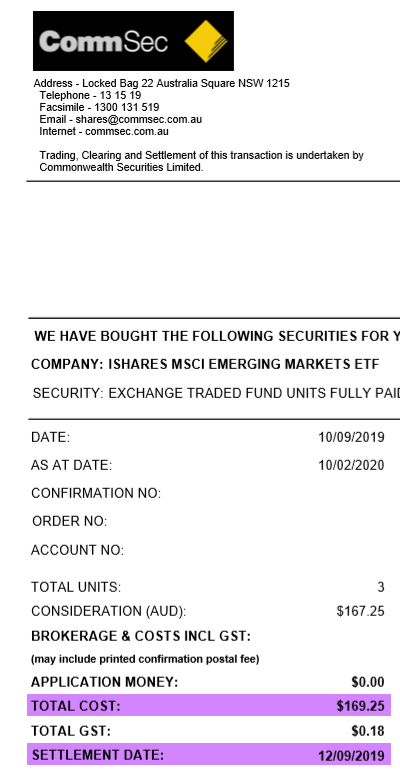
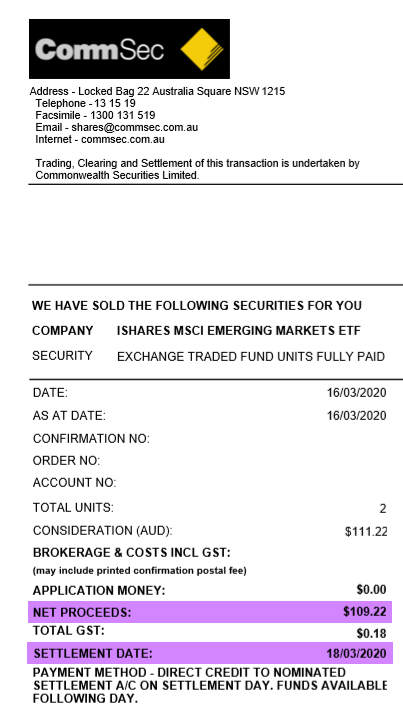
- For Buys - look for the Total Cost on the Settlement Date
- For Sells - look for the Net Proceeds credited on the Settlement Date
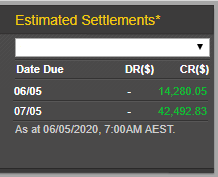
2. The estimated settlement calculator
The estimated settlement calculator is located on the homepage after you log in to CommSec. This is handy if you've bought or sold multiple times within two days because the calculator will aggregate the amount.
Understanding your settlement amount
Sometimes a debit or credit to your settlement account could be the difference between your buys and sells (this is known as “contra” and it may apply if you do multiple trades within two days).
If you want to check how much you have been credited/debited for each individual trade, you can do this online. Log in to your CommSec account and go to “Portfolio”. Select “Accounts” and then click on the “Transactions” tab. If you can’t see the transaction you’re looking for, try adjusting the date range and make sure you’re viewing the right account.